
Platform Introduction

Dragonfly AI Camera Management Platform is an AI-based video risk monitoring and management platform. The platform integrates multiple modules, including a web-based management system, streaming media server, mobile app, Windows desktop reminder tool, and SMS notification platform. Through these functions, users can conveniently configure and manage cameras and other devices, and flexibly add, delete, adjust, and view surveillance data. The platform uses advanced artificial intelligence technology to automatically identify and analyze video content and monitor risk events in real time. Users can view surveillance footage anytime and anywhere through the web-based management system or mobile app and receive real-time alarm information. In addition, the Windows desktop reminder tool and SMS notification platform provide users with multiple warning methods, ensuring that users do not miss any important security events.

The platform has highly flexible configuration and management functions. Users can easily add, delete, or adjust cameras and other devices to achieve customized management of the surveillance system. In addition, we support multiple security protection mechanisms, including data encryption, permission management, and access control, to ensure the confidentiality and integrity of surveillance data and protect users' data security. The AI Camera Management Platform is a feature-rich, safe, and reliable video risk monitoring and management platform. Using artificial intelligence technology, it provides flexible configuration and management functions, helping users conveniently manage surveillance devices and monitor risk events in real time, and providing efficient security assurance for various scenarios.
Web-Based Management System

The web-based management system is an AI-based video risk monitoring and management system. It includes modules such as the visual surveillance dashboard, risk monitoring, device monitoring, traffic monitoring, snapshot monitoring, device alarms, resource management, upgrade management, basic information management, inspection center, alarm center, and system settings. The specific functions are as follows:

Home

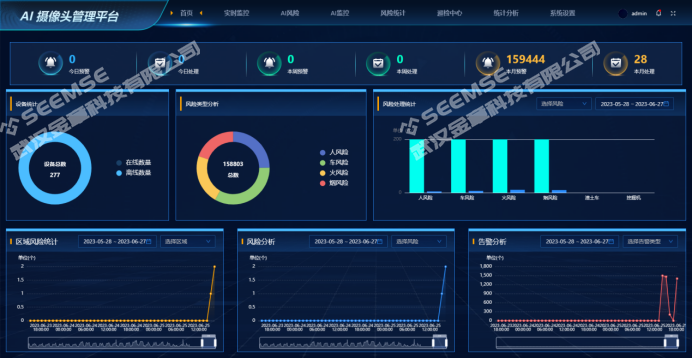
Users can view information such as today's warnings, today's handled items, this week's warnings, this week's handled items, this month's warnings, this month's handled items, device statistics, risk type analysis, risk handling statistics, regional risk statistics, risk analysis, and alarm analysis.

1689905866_image.png

Real-Time Monitoring

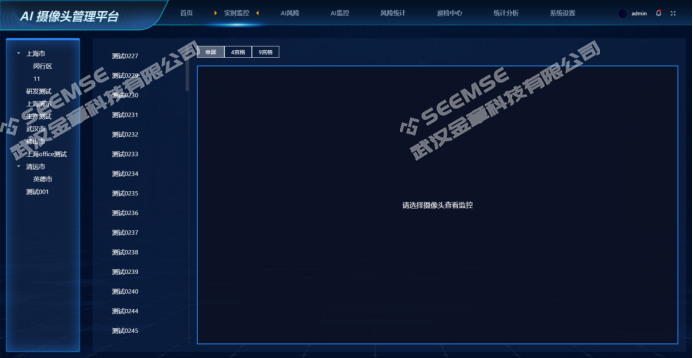
Video surveillance can be displayed in single-screen, 4-grid, or 9-grid layouts; video surveillance is displayed only after selecting a region and camera.

1689906686_image.png

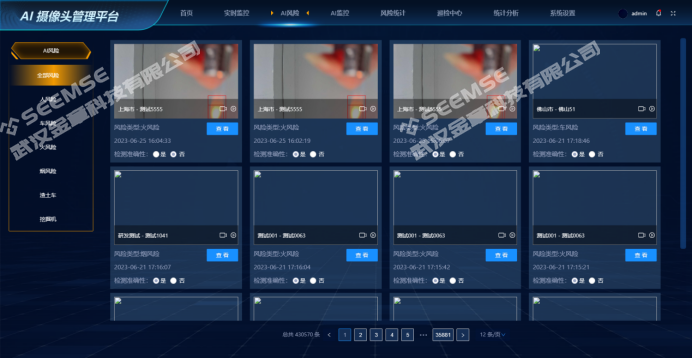
AI Risks

Users can view all AI risk information and perform handling operations.

1689906721_image.png

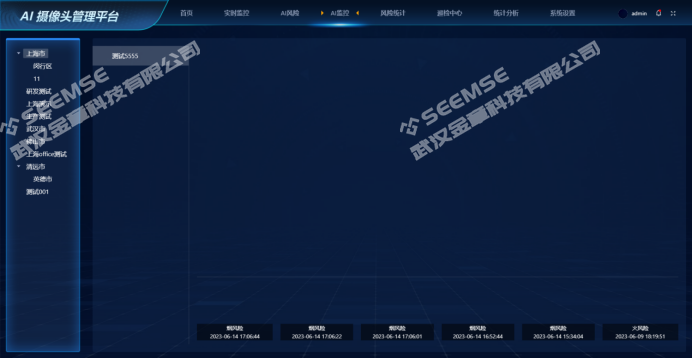
AI Monitoring

Select a region and camera to display video surveillance and risk information.

1689906778_image.png

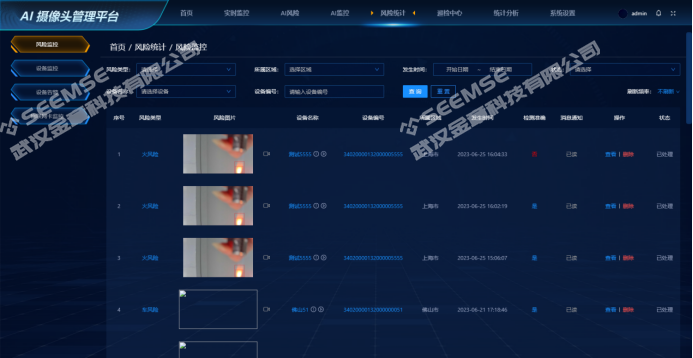
Risk Statistics

Statistics on risk data identified by devices, including risk type, risk image, device name, device number, region, occurrence time, detection accuracy, message notification, status, and other related content.

1689906848_image.png

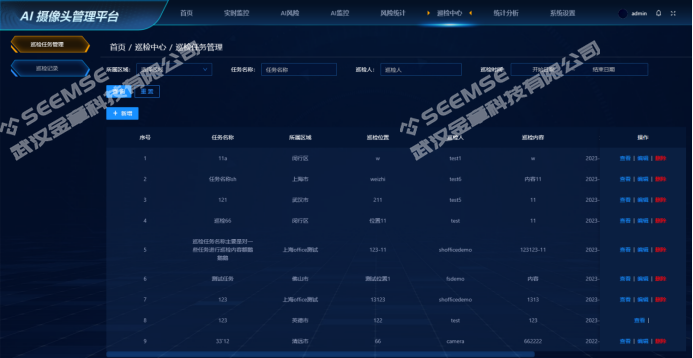
Inspection Center

Create inspection tasks and assign inspection personnel in the relevant region to perform inspections. The list includes task name, region, inspection location, inspector, inspection content, inspection time, status, and other related content.

1689906919_image.png

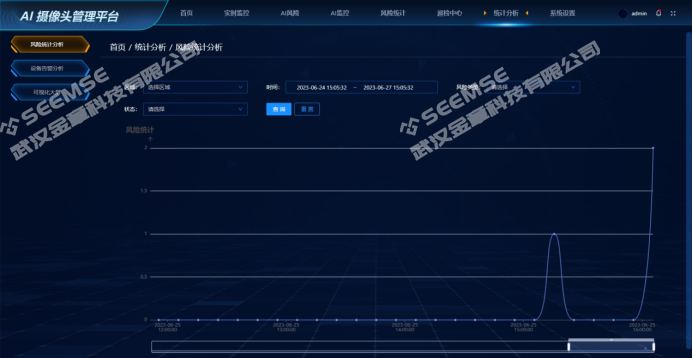
Statistical Analysis

Real-time statistical analysis of risk monitoring and alarm information.

1689907004_image.png

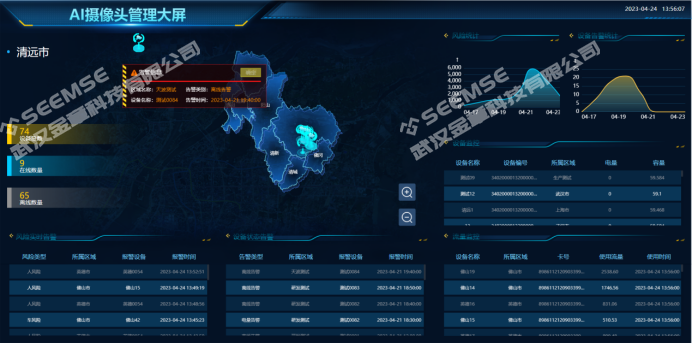
Visualization Dashboard

Users can intuitively view information related to real-time risk alarms, device status alarms, risk statistics, device alarm statistics, device monitoring, traffic monitoring, total number of devices, online count, and offline count.

1689907045_image.png

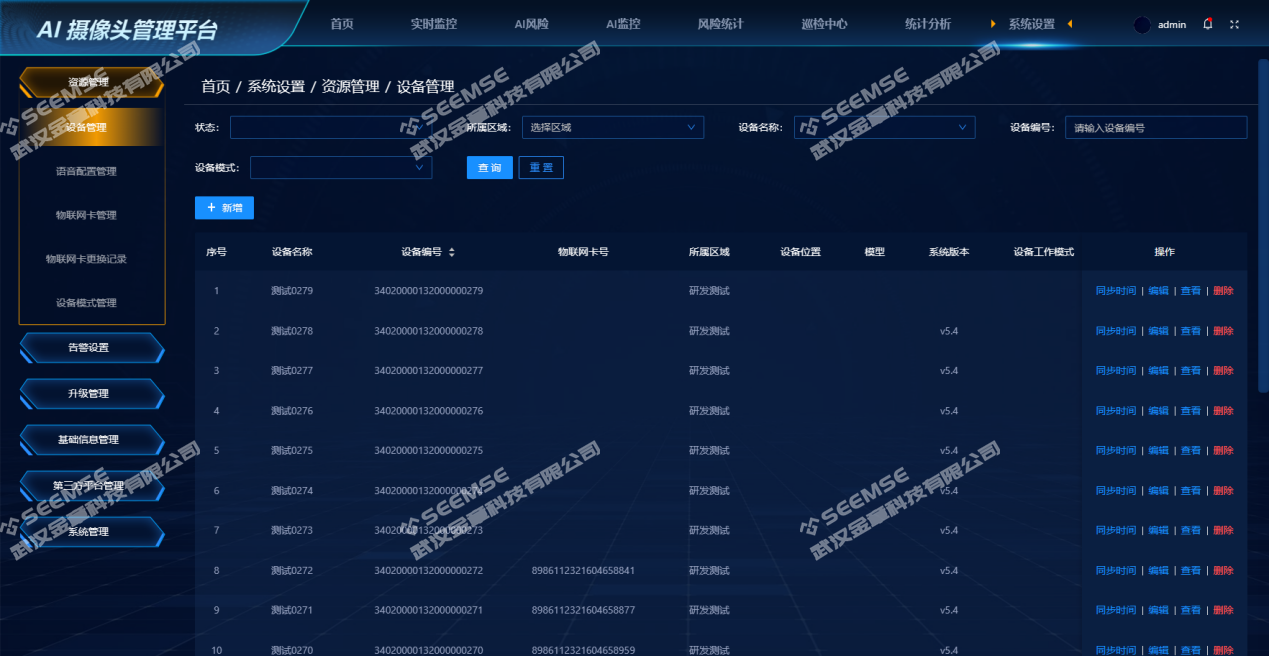
System Settings

System Settings include functions such as device resource management, voice configuration management, IoT SIM card management, device mode management, risk notification settings, device alarm settings, remote firmware and model upgrades, region management, and system basic information management configuration.

1689907396_image.png

Streaming Media Server

A streaming media server is a special type of server whose main function is to forward and transmit real-time video, audio, and other data. It features high concurrency processing capability, multi-format conversion, support for multiple protocols, and high security performance.

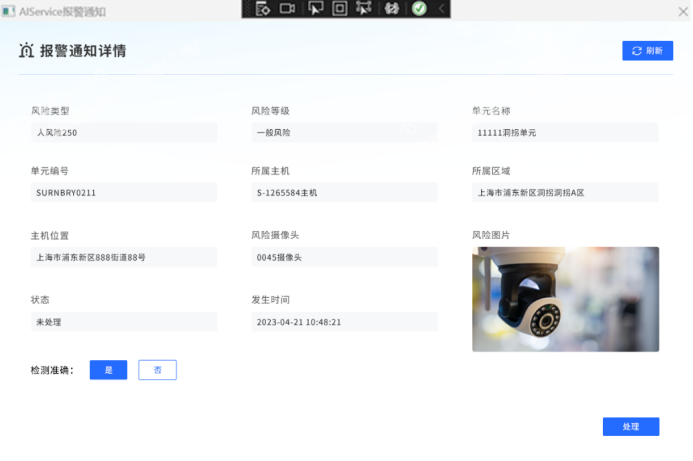
Windows Desktop Reminder Tool

The Windows Desktop Reminder Tool is a simple application that allows users to view and handle risk information that occurs on the Windows operating system. It can provide reminders and notification alarms for more important risk information to help users promptly notice and handle important risk events.

1689907464_image.png

Mobile App

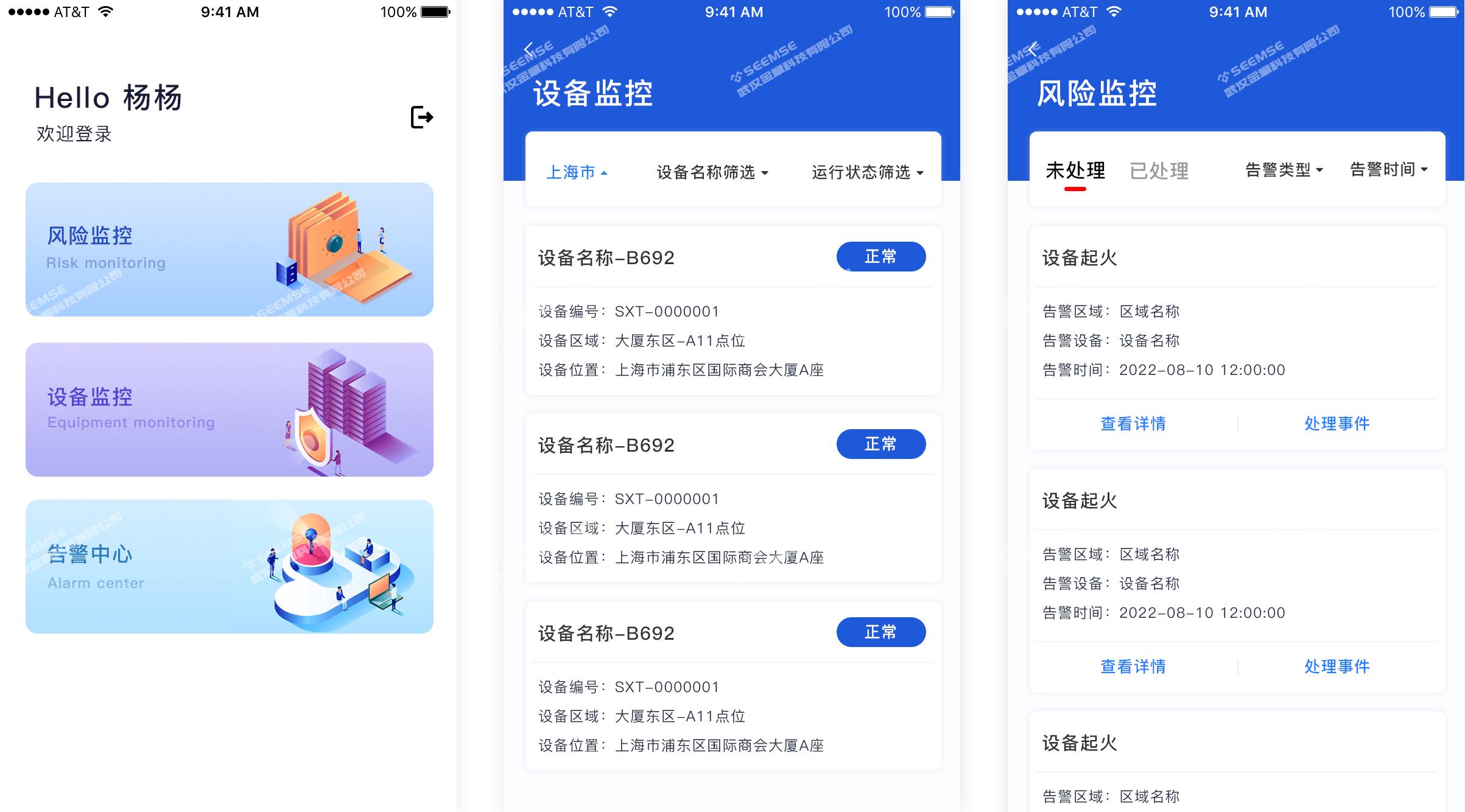
The Mobile App module supports device monitoring, risk monitoring, risk handling, real-time surveillance video, video playback, and other functions, making it convenient for users to view and manage surveillance cameras with their mobile phones at any time without being on site or using a computer.

1689911297_ffc57c2e44074f4b67dc52316d60e55.jpg

SMS Notification Platform

The SMS Notification Platform provides users with the function of freely configuring SMS recipients. It aims to provide convenient and fast SMS notification services and ensure that no risk notification is missed. Users can flexibly add, delete, and adjust the list of SMS recipients as needed to ensure that important notifications are accurately conveyed to relevant personnel. Through efficient SMS sending and status report functions, the platform ensures the timeliness and reliability of notifications, helping users quickly respond to risk events and take corresponding measures. Whether for enterprises, institutions, or individual users, the SMS Notification Platform enables effective risk management and information delivery.

Frequently Asked Questions

Q1: Should I choose Dragonfly's camera management platform or the server management platform?

A: It depends on what you need to solve. If you manage cameras, view footage, and handle risks, choose the camera management platform; if you monitor the AI unit's computing power and offline status, choose the server management platform. The two sets of functions overlap. Generally, starting with the camera platform is enough for use.

Q2: Cameras are scattered across different regions and floors. Can they be managed and authorized separately?

A: Yes. Devices are managed in groups by region, and risk statistics and the visualization dashboard can report data by region. Permissions support role-based assignment. Who can view which region and whether they can handle items are configured in settings. This also works for multiple floors and multiple factory areas.

Q3: After the system identifies a risk, can we check who handled it and whether it has been completed?

A: Yes. Each risk includes the device name, number, region, occurrence time, and handling status. If personnel need to be sent to the site for verification, tasks can be created and dispatched in the Inspection Center, recording who went, when they went, and whether it was completed.

Q4: If alarms need to be sent to several people, can they also be sent separately by risk type?

A: Yes. The SMS Notification Platform lets you configure the recipient list yourself and add or remove people at any time. In the alarm configuration, you can also specify recipients by risk type. In addition, there are the mobile app and desktop reminder tool, so multiple people can receive them at the same time without issue.

Q5: Outdoor and temporary construction sites do not have network cables. Can cameras connect to the internet using 4G cards?

A: Yes. The platform has IoT SIM card management. Cameras can connect to the internet by inserting a 4G card without running dedicated network cables. The site itself also supports solar power, making it suitable for temporary sites such as construction sites and river channels that do not have fixed network access.